Dialog Boxes
Dialog Boxes 
Use
The SAP System displays dialog boxes when it:
- Requires more information before it can proceed
- Is providing information, such as messages or specific information about your current task
Before you can continue, you must choose an action from a dialog box. To choose an action, choose one of the buttons at the bottom of the dialog box.
A sample dialog box is shown here:
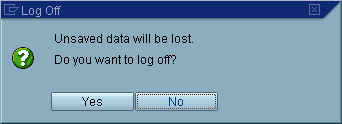
When you end a task without saving your data, or you choose a function that may cause you to lose data, the SAP System usually displays a dialog box in which you are asked to confirm or cancel your action.
Created with the Personal Edition of HelpNDoc: Maximize Your Documentation Efficiency with a Help Authoring Tool