SAP Easy Access
SAP Easy Access Settings 
Procedure
To make SAP Easy Access settings, choose Extras ® Settings. The following dialog box appears:
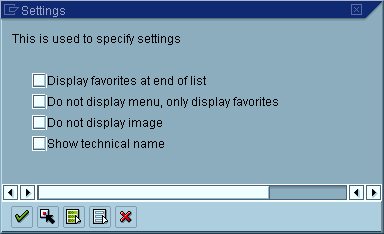
Here, you can specify whether:
- Your favorites should appear before or after the menu
- Only your favorites, and not the menu, should appear
- Technical names of menu options should appear in the navigation area
- The SAP Easy Access graphic should appear on the right-hand side of the screen, as shown below:
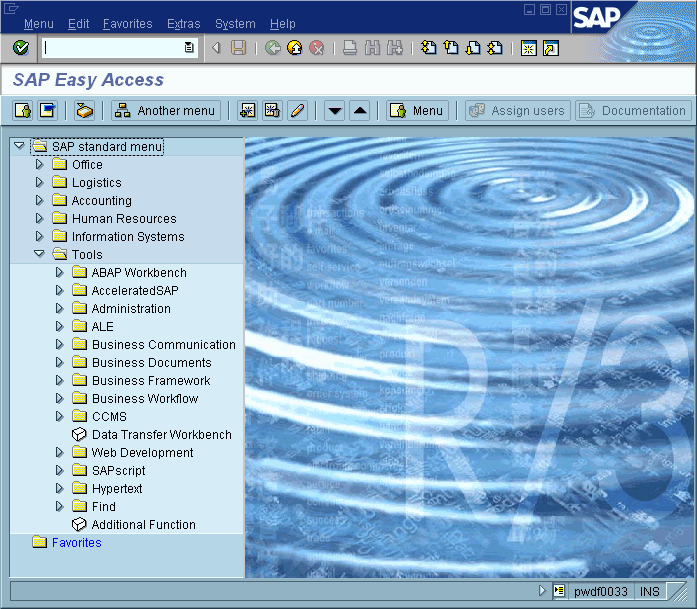

You can hide this graphic by dragging the split bar from the center to the right-hand edge of the screen. To deactivate the graphic completely, select Do not display image.
You can also define whether a user or an SAP standard menu should appear. To make this setting, choose either Menu ® User menu or Menu ® SAP standard menu.
Created with the Personal Edition of HelpNDoc: Maximize Your Productivity with HelpNDoc's CHM Help File Creation Features