Finding the Transaction Code for the Current Task
Finding the Transaction Code for the Current Task 
Procedure
To find the transaction code for the current task:
- Choose the arrow at the far right of the first status field, as in this example:
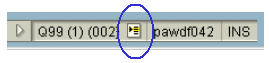
The transaction code appears, along with other system information:
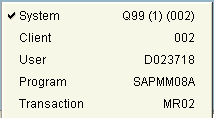
- Or, from the menu bar, choose System ® Status.
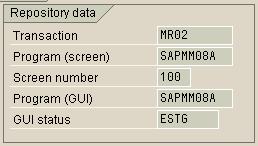
The System Status dialog box appears. You can find the transaction code for the current task in the Repository data frame of the SAP data screen area, as in this example:
To find the transaction code for a different task, you can either:
- Open the task, and choose System ® Status.
- Or, activate the appropriate options on the SAP Easy Access workplace menu (see Finding the Transaction Code for the Task You Want to Start).
Created with the Personal Edition of HelpNDoc: Experience the Power and Ease of Use of HelpNDoc for CHM Help File Generation